
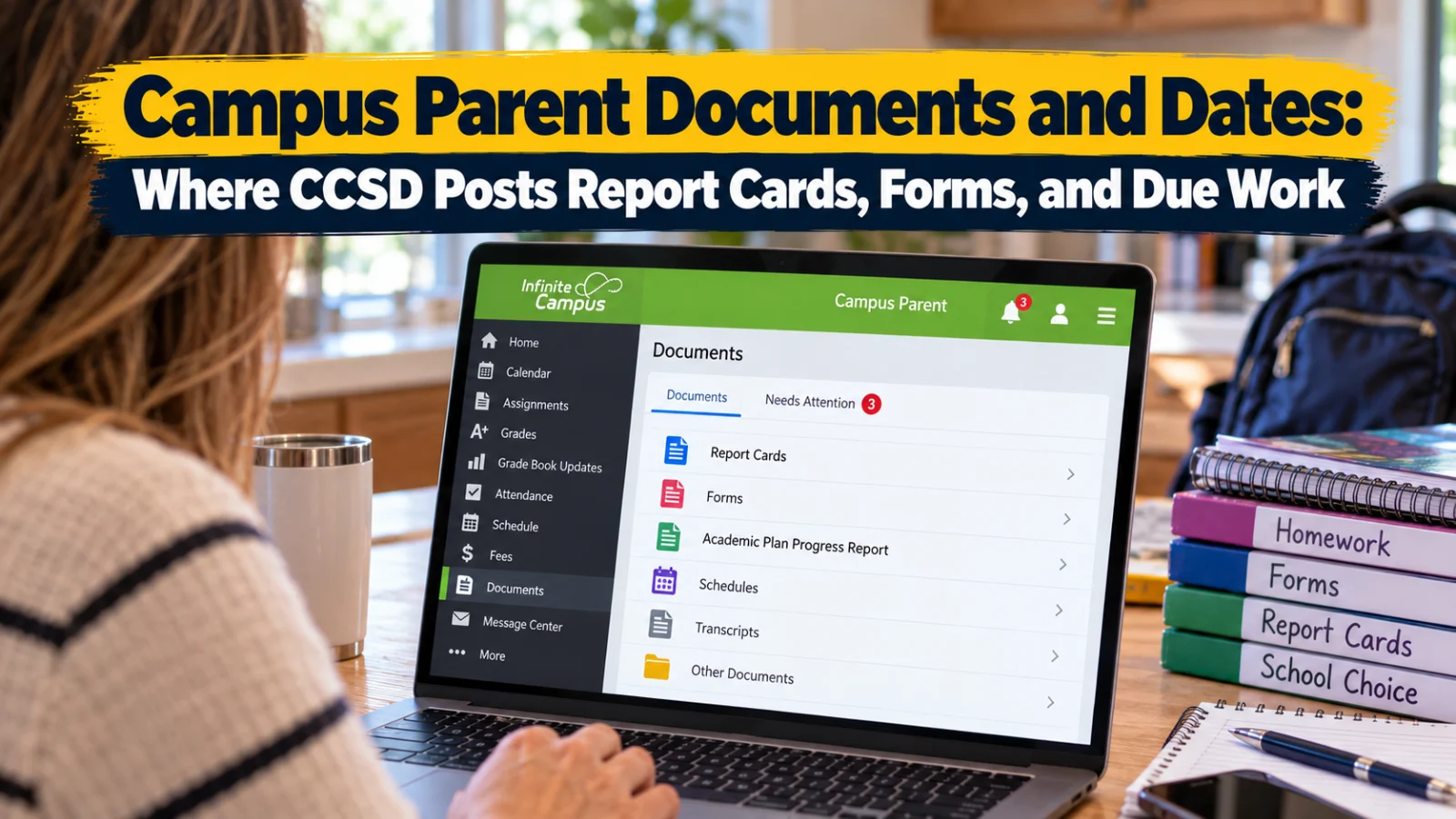
Only one guardian at a time can fill out a Campus Parent form, and if one declines it, the other can't sign. Here is where report cards, forms, and due work sit.
Report cards, schedules, and transcripts in Clark County School District's Campus Parent portal sit in the Documents tool, along with forms a parent must sign. The district's Campus Parent/Student Portal and Mobile App Manual, the January 2024 version linked from the Infinite Campus parents page (checked Tuesday, October 13, 2026), says documents or forms needing a parent's attention display Needs Attention.
Campus Parent is a free tool developed by Infinite Campus, the FAQs say. Families log in at campusportal.ccsd.net, the link on the Infinite Campus parents page, or through the Campus Parent app.
Inside Documents
The manual lists student reports and learning documents, such as forms and grade reports. Report cards show up in Documents after a grading period ends. The district does not list a fixed release date, and timing can vary by school, so ask the school if one hasn't appeared. A notice also appears in Documents when a teacher assigns a Secondary Unsatisfactory Progress form.
The district's Campus Parent/Student FAQs add that parents and students can view or print course selections for the following school year and the academic plan that tracks progress toward graduation.
For high schoolers, the Academic Plan Progress Report is under Documents, then Other. The manual's steps: select Academic Plan Progress Report, choose a program, pick Summary (graduation status) or Detail (plan requirements), choose PDF or DOCX, then select Generate Report. The manual recommends viewing academic plans on a desktop or laptop, not a phone.
Turn on alerts first
You can't see a new document if you never open the portal. The manual's Notification Settings control in app and mobile push notifications. The path is User Menu, then Settings, then Notification Settings. Select the alerts you want and Save. On a phone, you must select Stay logged in to get push notifications.
Under Settings, Contact Preferences sets your phone numbers, email addresses, preferred language, and message types, such as Attendance, Teacher, and Behavior Messenger. The Notifications list shows items like graded assignments, with a blue dot for unread ones. The manual says notifications can't be deleted.
How do I sign a form in Campus Parent?
Open Documents and select the form that says Needs Attention. Fill in the fields. Next Action jumps to required fields or the signature line, and Action Needed appears when a required field is empty. Save Progress lets you come back before the deadline. Then select Sign or Decline, and Submit.
Two households sharing a student should read the manual's rules first:
Only one parent or guardian can complete a form at a time. The first one must select Confirm Editing, and the other can only view it while it is In Progress.
When one parent or guardian declines a form, no other parent or guardian can sign it.
Nothing can be changed after Submit. Signed forms show Signed and Pending. Declined forms show Declined.
The Home page flags
The Home page summarizes grade updates, attendance updates, and graduation progress, per the manual. Two flags send you elsewhere. An unpaid fee balance appears on Home and links to Fees. Immunizations that don't meet requirements appear there too, linking to the immunization record. The Health tool under More shows the vaccines given, doses, and compliance status.
To pay a fee, the manual's steps are: open Fees, add the fee to the cart in full or as a partial amount, check out, add a card, confirm your email address, and select Submit Payment. My Accounts holds payment methods, payment history, and recurring payments.
Messages from the school
Message Center holds school and district announcements, inbox messages from teachers or staff, and surveys. Announcements also show on the login screen, and the manual says they can't be removed. A survey appears next to Inbox when one is assigned to you or your student. Use the link in the message to complete it.
Assignments and due work
The Assignments tool lists a student's assignments "with a focus on the current day," the manual says. Use the Missing filter for missing work and Current Term for the whole term. Grade Book Updates shows only work scored or updated in the last fourteen days, flagged Turned In, Late, or Missing.
For a specific day, open Calendar in Assignments mode. For the week, open Assignments, then Calendar. CCSD Insider's five screens guide walks through each of those tools.
School calendar dates are in another spot. Under More, Important Dates lists holidays, late starts, and other school calendar events, per the manual. The same menu holds Assessments, which shows state, national, and district test scores, plus Lockers and Cafeteria Balance.
Approving a high school academic plan
The manual says the Academic Plan is approved by the parent or guardian, the student, and the school counselor. To approve it, open Academic Plan, select Next, review it, check I approve this Academic Plan, and Save. To print it, open Academic Plan, select Next, then Course Plan Report, then Print.
When does the CCSD grading period end?
The English student calendar on the district's Calendars page sets the remaining 2026 to 2027 grading period ends:
Friday, December 18, 2026: end of the second grading period and first semester.
Friday, March 12, 2027: end of the third grading period.
Thursday, May 20, 2027: end of the fourth grading period and the school year.
The first grading period ended Friday, October 9, 2026. Every no school day is in CCSD Insider's 2026 to 2027 calendar guide.
Help when something looks wrong
Grades and progress questions go to your child's teacher or school counselor, per the FAQs. Academic Plan questions go to the school counselor, per the manual. Login and account problems go to the Campus Liaison at your child's school during school hours.
Portal Help Desk: 702 799 7678 (702 799 PORT), Monday through Friday, 6:00 a.m. to 5:00 p.m. Pacific, or 0068-SDM-portalsupport@nv.ccsd.net, per the Infinite Campus parents page.